|
|
- Create interactive 3D apps and games easily
- Publish as app (Windows, Mac, Android) or on websites (WebGL, Flash)!
- No programming necessary!
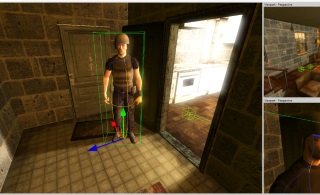
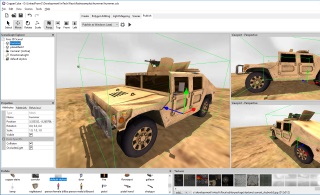
Create 3D apps and games without programming!
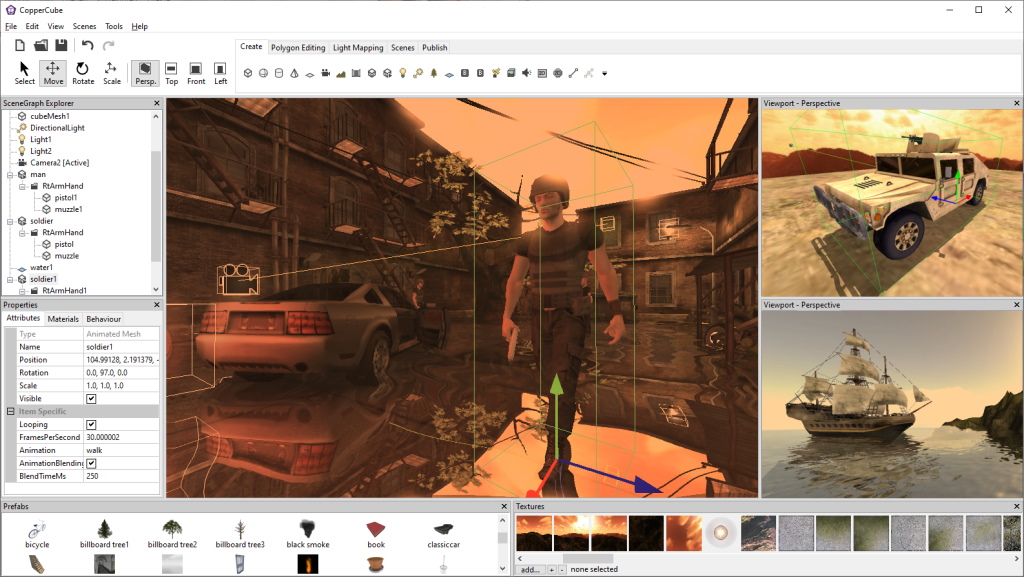
Create your scene or import your 3D models into the CopperCube 3D editor, set camera controllers,
materials, behaviors, and click 'publish'. Create everything: from simple model viewers to full 3d games.
Create Android apps, WebGL or Flash sites, Mac/PC apps!
CopperCube can publish your 3d scenes ready to run on your website using Flash or WebGL. Additionally, it can create
standalone Android apps, Windows .exe and Mac OS X .app programs as well. Just select the target,
click publish, and your app is ready.
No Programming necessary!
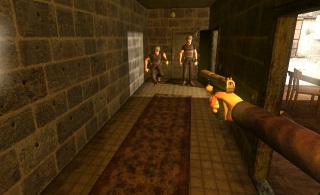
Creating interactive 3D scenes can be done using CopperCube without the need to write one single line of code. There
are even selectable behaviors for artificial intelligence controlled enemies.
But if you want to make your scenes even more interactive, you can script and access everything in the engine
using ActionScript 3 or JavaScript.
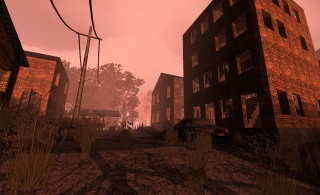
Create everything from simple Panoramas to full Games
There is no limit in what can be created with CopperCube. Use the built-in panorama camera behavior to create
panorama viewers or the ready-to-go controller behaviors to create architectural visualizations, model viewers or even full featured games.
CopperCube is ideal for creating 3D educational programs, architectural visualizations,
military simulations, product configurators, games, e-learning applications and 3D prototypes.
And it can be used to convert 3D models to WebGL or Flash Stage 3D / Molehill.
Read more
Want to get notified when a new version of Coppercube will be released?
Latest News
CopperCube 4.0.3 released.
Enhanced Game AI, actions for paths, better font support on WebGL and Android, improvements for the Android target, bug fixes.
Details here.
CopperCube 4.0.2 released.
Extended cloning mechanism, improved physics on android, more WebGL publishing options, several bug fixes and improvements.
Details here.
CopperCube 4.0.1 released.
Faster Android apps, zooming for the model viewer camera, several smaller bug fixes.
Details here.
CopperCube 4.0 released.
Android support, Particle systems, Touchscreen support for mobile devices, customizable loading
screens for all targets, Multiline text, more and extended actions and behaviors (cloning, deleting,
vehicles, random positions, etc.), new examples and prefabs, lots of other
improvements. Details here.
CopperCube 3.5.1 released.
Small bug fixes for the flash publishing target. Update recommended.
CopperCube 3.5 released.
Adds support for unicode (Russian, Japanese, etc texts and files now working), redesigned user interface,
support for copying and pasting behaviors, new special runtime variables like '.damage' and '.movementspeed',
bug fixes.
CopperCube 3.1.0 released.
Adds an improved material window, the possibility of attaching any object to a camera (like weapons in first person shooters),
improved dynamic lighting in WebGL and Flash,
new actions and behaviors (restart a scene, do something before first frame, improved keyboard controlled object),
dynamic variables (like "#scenenode1.health" for game AI), faster publishing, improved 3D file importers, bug fixes.
CopperCube 3.0.3 released.
Adds support for Vertex colors, and the ability to import huge 3D models, also from the formats .dae (collada),
.ase, .ply, .dxf, .cob, .3ds, .lwo and scn.
CopperCube 3.0.2 released.
Adds WebGL performance improvements, new example (third person camera) and various bug fixes.
CopperCube 3.0.1 released.
Includes a few bug fixes with Flash and WebGL.
CopperCube 3.0 released.
Adds dynamic lights for all targets, plugins, JavaScript as language for for Mac .app and Windows .exe,
polygon editing tools in the editor, audio for WebGL target, double sided materials, new actions,
improved model viewer camera, better 3rd person camera for indoor scenes, improved file importers,
and much, much more.
CopperCube 2.5.5 released.
Adding support for the latest, updated Adobe Molehill Beta.
Show older news...
CopperCube 2.5.4 released.
Added enhancements for Firefox 5 support (WebGL), material index parameter for the 'Change texture of a scene node' action and fixed
a few minor bugs.
CopperCube 2.5.3 released.
Added third person camera control, command line interface (professional version only), several bug fixes and minor changes.
CopperCube 2.5.2 released.
Improving compatibility with the just released Firefox 4 final version.
CopperCube 2.5.1 released.
Fixing a few bugs, it is recommended to update to this version from 2.5.
CopperCube 2.5 released.
Adds support for Adobes just released Molehill API in Flash: real hardware accelerated 3D graphics.
Adobe MoleHill is still in Beta, and you need to enable this feature in CopperCube in the Publishing Settings.
CopperCube 2.2.3 released.
Adds viewports for cameras to the editor, scaling in all direction by holding down shift, improved first person
shooter camera control for Flash and WebGL (looking by moving mouse), lots of enhancements to various
actions and behaviors, access to CopperCube variables via Actionscript, JavaScript and Squirrel, possibility
to jump in first person cameras, much improved performance for collision dection and response, fixed bugs with
several file format importers (.3ds, .obj, .dae, .dxf, .cob and .lwo), and much more.
CopperCube 2.2.1 released.
Includes several bug fixes with WebGL
CopperCube 2.2 released.
Adds new materials (fake reflections), a wireframe mode, support for setting, manipulating and reading variables via actions,
and lots of minor improvements and bug fixes.
CopperCube 2.0 released.
Adds undo and redo to the editor, support for game AI behaviors (for example for creating enemies for games),
shooting, timer and other behaviors and actions, update to the latest WebGL specification and a lot more.
CopperCube 1.4.1 released.
Adds support for character animation in the WebGL target and various other small improvements.
CopperCube 1.4.0 released.
Includes support for Mac OS X (also on Windows), adds support for 3D Studio Max .ase,
Stanford Polygon Lib .ply, AutoCAD .dxf and Truespace .cob and .scn files, improves
COLLADA .dae, Lightwave .lwo and 3D Studio .3ds importers. Also, gives the possibility
to use own prefabs and adds various other improvements.
CopperCube Beta for Mac released.
The first beta version of CopperCube for Mac has been released. This version runs on Mac OS X 10.4 and later
(intel only) but may contain bugs and errors.
CopperCube 1.2.2 released.
Added 'On Cursor moved over do something' behavior, multiple sky box support for flash, 'create plane' now
with texture repeat option, collision detection for WebGL target, tooltips on texture displays and
various bug fixes.
CopperCube 1.2.1 released.
Fixed WebGL target for MacOSX and a bug with the flash target.
CopperCube 1.2.0 released.
Added support for WebGL and JavaScript, using CopperLicht.
CopperCube 1.1.3 released.
Adds the option to open .ccb files with a click in the windows explorer
and an .irr scene exporter.
CopperCube 1.1.2 released.
Adds 2D overlays (to show 2D images, buttons, text displays and similar),
transparent background rendering (wmode=transparent), new actions,
and more.
CopperCube 1.1.0 released.
Adds realtime 3D character animation.
CopperCube 1.0.6 released.
Includes the new Event/Action system and Flash Player 10 3D capabilities.
|
Download
Demos

Backyard Demo Start

Car Configurator Demo Start

Third Person Camera Demo Start

Dynamic Light Demo Start

Model Viewer Demo Start

Castle Demo Start

First Person Shooter Demo Start
|
|
|
|
|